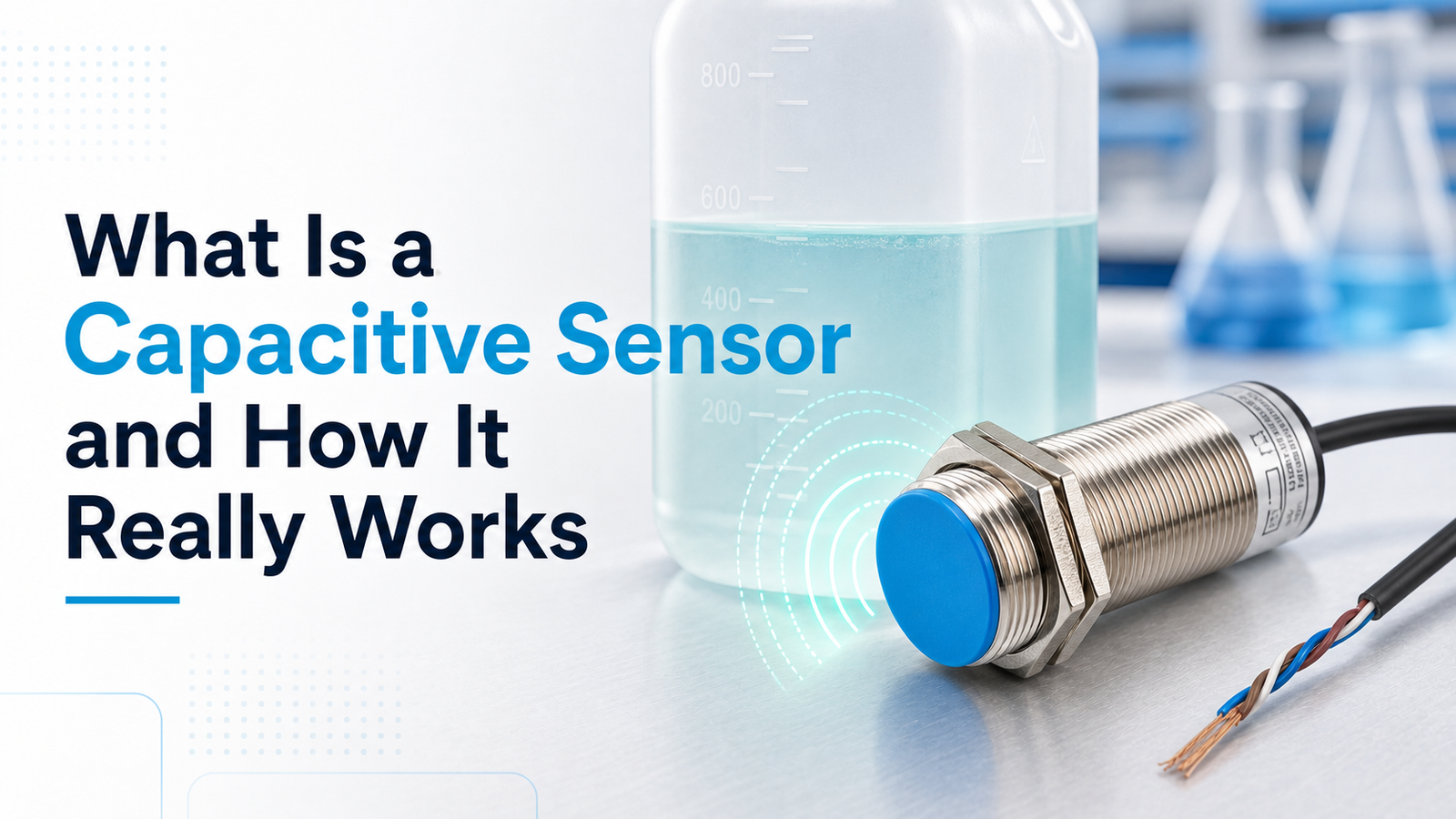
A capacitive sensor is a non-contact electronic device that detects nearby objects by measuring changes in capacitance within an electrostatic field around its sensing face. Unlike inductive sensors that only detect metal, a capacitive sensor senses plastic, liquid, wood, and powder without physical contact. Typical sensing ranges run from 1 mm to 60 mm depending on the target material. Understanding what is a capacitive sensor matters because these devices are common in level detection, packaging lines, and touchscreens worldwide in 2026.
This guide works through the questions people are genuinely searching for. How does a capacitive sensor actually work, one step at a time? What components sit inside it? How is it different from an inductive sensor?
Which specifications really matter when you’re choosing one? And where do these sensors tend to get used in 2026? Those are the things we’ll cover here.
Quick Takeaways
- Detect metals, liquids, plastics, and powders without any physical contact.
- Expect sensing ranges of 1 mm[1] to 60 mm by material.
- Sensors work by measuring capacitance shifts in an electrostatic field.
- Choose capacitive over inductive when detecting non-metal targets matters.
- Apply them in level detection, packaging lines, and touchscreen systems.
What Is a Capacitive Sensor in Simple Terms?
A capacitive sensor is a device that spots a nearby object without touching it, and it does this by measuring a change in capacitance, which is basically the ability of an electric field to store charge. It creates an electrostatic field around its sensing face, and when a target moves into that field, the stored charge shifts. The sensor reads that shift and switches on, with no touch needed at all. What really sets it apart is that it detects almost anything, metal, plastic, glass, wood, water, grain, or powder, because any material entering the electric field changes the reading. It isn’t limited to conductive metals like the ones an inductive sensor requires.
Considering that, a capacitive sensor can spot water rising inside a plastic tank, or it can count cardboard boxes moving along a line, which are jobs a metal-only sensor simply cannot do.
The trade-off here is range. These sensors work at close distances, usually under 10 mm[3], and many simple commercial units read less than 1 cm, so you mount them close to the target. Think of the sensing face as one plate of a capacitor, and the object, or earth ground, becomes the second plate. When the gap or the material between them changes, then the capacitance the sensor tracks changes too.
Because these sensors respond to water, they also react to humidity and temperature swings that alter a material’s dielectric properties, meaning how it holds an electric charge. In damp environments, you often need to retune the sensitivity to avoid false trips, and this is actually a limitation covered in more detail below.

How Does a Capacitive Sensor Actually Work?
A capacitive sensor works by using its active face as one plate of a capacitor, while the approaching target (or earth ground) acts as the second plate. When an object enters the electrostatic field, it changes the dielectric, the material between the plates, which shifts the capacitance value. Once that shift crosses a set threshold, the sensor switches its output. Most industrial models react at ranges under 10 mm.
Break it into four working parts, and the process gets clear.
- Electrode (active face): Forms one plate of the capacitor. It projects an electric field outward. Any material — metal, water, or plastic — entering that field alters the stored charge.
- Oscillator: A circuit that generates a steady radio-frequency signal. As target capacitance rises, the oscillator’s amplitude climbs from zero toward a peak.
- Trigger circuit: A Schmitt trigger compares the oscillator level to a preset switching point. This built-in hysteresis stops the output from chattering when the target sits right at the edge.
- Output stage: Converts the trigger decision into a usable signal — usually a PNP or NPN transistor switching 24 V DC to a PLC.
Here’s a field tip many miss: because the target acts as the second electrode, grounding matters. A poorly grounded machine frame can make readings drift, so always tie the sensor mount to a solid earth reference before setting sensitivity. Understanding what’s a capacitive sensor at the circuit level explains why it detects the powders and liquids that metal-only sensors ignore.

What Does Dielectric Constant Have to Do With Detection?
The dielectric constant, which gets written as εr, is basically a measure of how easily a capacitive sensor can pick up a given material. Materials with a high dielectric constant, such as water sitting around 80, bend and distort the electric field much more than low-value plastics that sit near 2. That difference is exactly why the same sensor can spot a water tank right through a wall but hardly reacts at all to dry pellets. So when someone asks what is a capacitive sensor really good at, the honest answer is anything with a high dielectric constant.
The dielectric constant essentially tells you how strongly a material holds electric charge inside a field, and the higher that number climbs, the more the field pulls toward the target and the more the measured capacitance changes, changing in direct proportion to the target’s εr value.
| Material | Dielectric constant (εr) | Detection ease |
|---|---|---|
| Water | 80 | Very easy |
| Glass | 5–10 | Moderate |
| Wood (dry) | 2–7 | Moderate |
| PVC plastic | 3 | Hard |
| Dry paper | 2 | Hard |
| Air | 1 | Reference (not detected) |
The reduction factor connects all of this back to how far away the sensor can actually detect something. Data sheets normally rate the sensing distance against a metal or water target, which is given a reduction factor of 1.0. A PVC target with an εr near 3 might cut the usable distance down to only 40 to 50 percent of the rated value. A practical piece of advice here is to never trust the catalog range when you’re dealing with a low-εr target.
It’s better to bench-test with the actual material you plan to use and then set the potentiometer to a stable trip point, considering that humidity and temperature both shift the dielectric properties and can quietly drift your threshold over time.

What Are the Main Types and Form Factors of Capacitive Sensors?
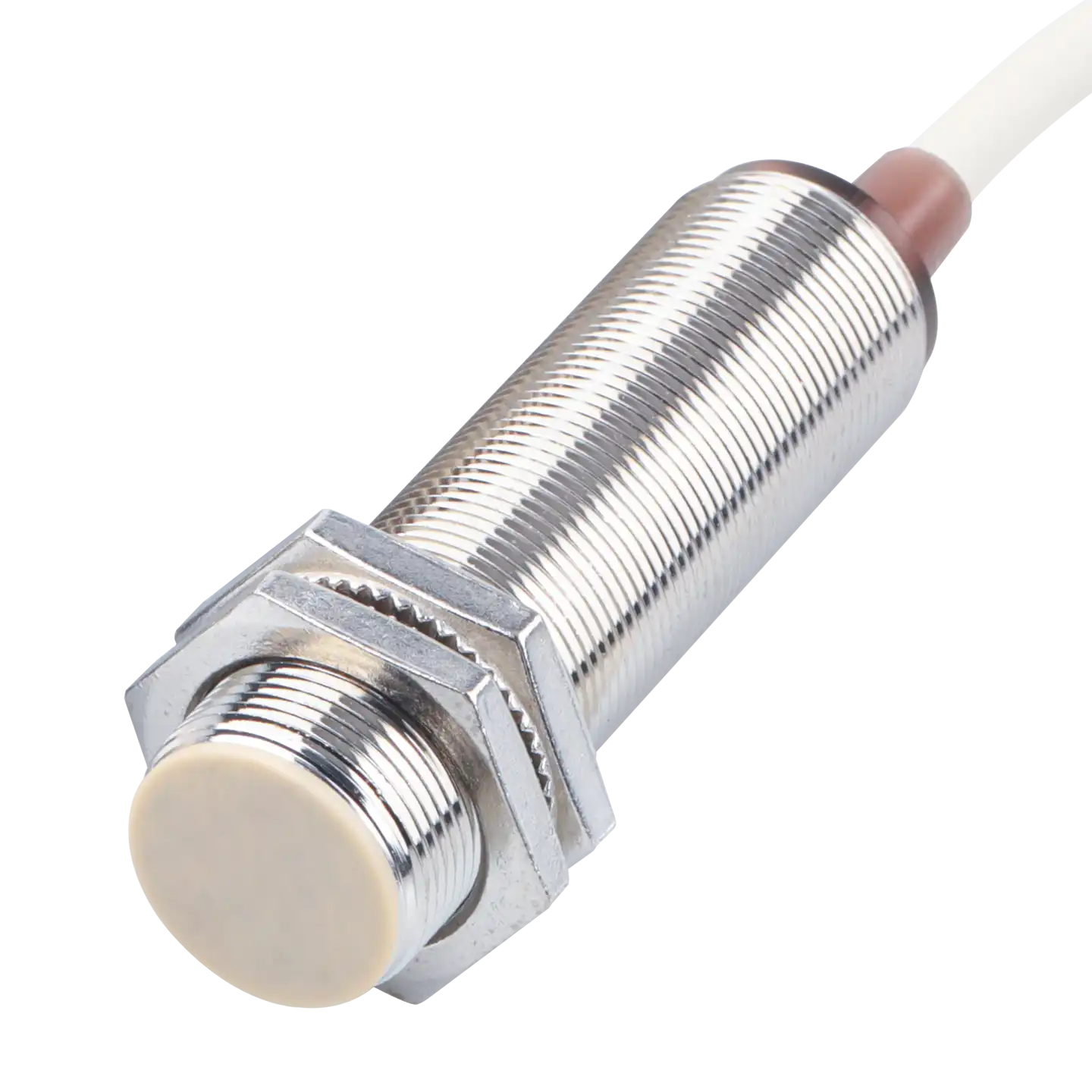
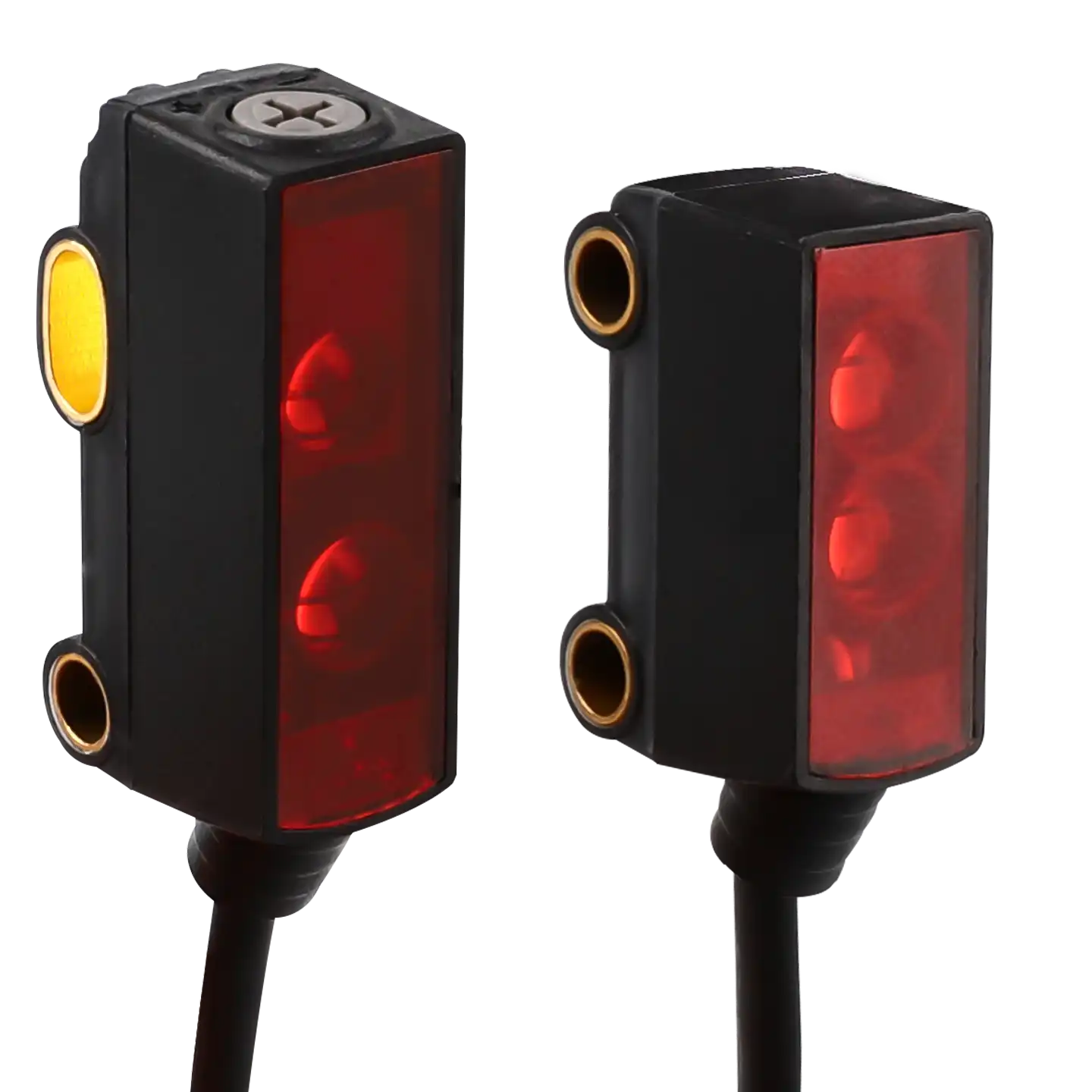
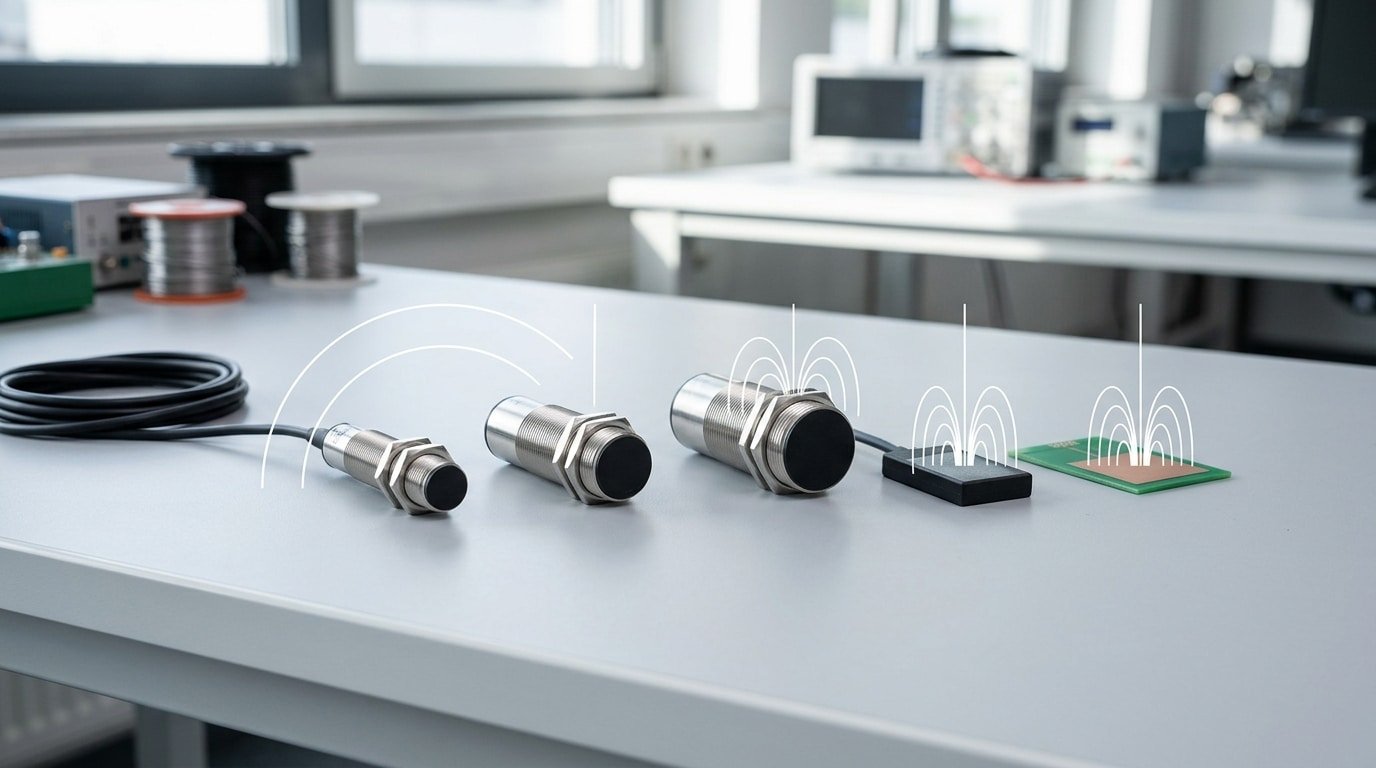
Capacitive sensors generally come in three main shapes, or form factors. There are cylindrical barrel sensors, which have threaded M12, M18, and M30 bodies, then flat rectangular block types, and finally touch electrodes built right into a printed circuit board (PCB). The right shape really depends on the job you need it for, whether that is flush mounting, detecting the level of material through a tank wall, or running a finger-driven touch panel. Barrel sizes tend to track the sensing range, so an M30 will typically read a target that sits farther out than an M12 does.
What Do M12, M18, and M30 Barrel Sizes Mean?
The number here is basically the thread diameter measured in millimeters. Bigger barrels hold larger sensing faces, which means they can detect a target at longer distances. Most industrial capacitive proximity sensors work at ranges under 10 mm, and the M30 sits right at the high end of that band.
- M12: a compact threaded barrel meant for tight machine frames, and it has the shortest range of the group.
- M18: a mid-size option, and generally the most common all-rounder for detecting parts.
- M30: the widest face with the longest reach, which is why it is favored for sensing the level of material through container walls.
Shielded vs Unshielded — Which Should You Pick?
Shielded sensors focus the field forward, so you can mount them flush inside metal without getting false trips. Unshielded types spread the field out sideways for a longer range, though they need a clear ring of open space around the face to work properly. You would pick shielded for embedded flush installs, and pick unshielded for open level detection of powders or liquids through non-metallic walls. Flat block sensors and PCB touch electrodes handle interface and thin-space jobs, essentially the situations where a round barrel simply won’t fit.
Where Are Capacitive Sensors Used in Industry and Everyday Life?
Capacitive sensors show up wherever the target is non-metallic or hidden behind a wall. They detect liquids, granules, and powders through non-metallic container walls (2025), so the sensor never touches the product. That single trait, sensing through a barrier, is why they dominate level checks in food, pharma, and plastics plants.
⚠️ Common mistake: Setting the sensitivity for a “worst-case” target and leaving it there, then getting false triggers from humidity, dust, or condensation on the sensing face. This happens because capacitive sensors respond to any dielectric change in the field, not just your target. The fix: tune the potentiometer to your actual material at operating conditions, then reduce sensitivity until nuisance triggers stop.
Why does capacitive win when the target is hidden or non-metallic?
Capacitive wins because it reacts to any material entering its electric field, not just metal. Mount one on the outside of a plastic or glass tank, and it “sees” the liquid or powder inside by the jump in dielectric constant, water (εr ≈ 80) triggers a strong signal even through a 4 mm[4] plastic wall. This means no drilling, no leak points, and no sensor contact with sterile or corrosive product, a real advantage in pharmaceutical filling lines.
Where do you meet them in daily life?
Every smartphone screen. Capacitive touchscreens use your body’s capacitance (2024) to locate your finger. The same principle drives capacitive buttons on appliances, no moving parts to wear out.
- Fill-level sensing: detect coffee, oil, or powder level through the container wall, no probe inside.
- Non-metallic part presence: confirm a plastic cap or paper label sits in place on a fast conveyor.
- Human–machine interfaces: touch panels and slider controls with no mechanical switch.
For hygienic lines, this non-contact reach cuts cleaning validation time and removes a common contamination path.
Capacitive vs Inductive vs Optical Sensors — Which Should You Choose?
Pick a capacitive sensor when you need to detect liquids, powders, or objects behind a non-metal wall. Use inductive sensors for metal-only targets, and optical sensors when you need long range or high precision. The core difference is what each sensor “notices”: inductive units react only to metal via eddy currents, optical units bounce light off a target, and capacitive units read shifts in an electric field, so plastic, water, wood, and grain all register, which is why capacitive sensors detect both conductive and non-conductive materials that inductive types simply can’t see.
| Sensor Type | Target Material | Typical Range | Relative Cost | Environment Tolerance |
|---|---|---|---|---|
| Capacitive | Almost anything | Under 10 mm | Medium | Sensitive to humidity |
| Inductive | Metal only | 1–60 mm | Low | Very rugged |
| Optical | Most solids | Up to several meters | Higher | Fails with dust or fog |
Quick decision guide: metal parts on a fast line? Choose inductive, it shrugs off oil and vibration. Counting boxes across a wide conveyor? Optical wins on distance. Checking fluid level through a plastic tank wall? Only capacitive can do that job cleanly.
One caveat: capacitive sensors are sensitive to humidity and temperature, which shift dielectric properties. In damp or dusty rooms, budget for a shielded model and recalibrate seasonally.
What Are the Common Failure Modes and Interference Sources?
The most common failure modes for capacitive sensors are humidity condensation, dust buildup, temperature drift, and electrical noise, all of which shift the switching threshold and cause false triggers. Because capacitive sensors are sensitive to humidity and temperature (2026), even a thin water film on the sensing face can register as a target, tripping the output when nothing is really there.
Why does humidity and dust cause false triggers?
Humidity and dust cause false triggers because water has a dielectric constant near 80, far higher than air at 1, so a fine layer of condensation on the active face looks like a solid object to the sensor. Dust does the same thing more slowly, layering up until it holds enough moisture to cross the switch point. The fix: mount the sensor face pointing down or sideways so debris sheds off, and pick a PTFE-coated face for wet washdown zones.
How do you fight temperature drift and electrical noise?
Temperature drift shifts the baseline capacitance as the material’s dielectric properties change with heat. Two practical tools handle this:
- Hysteresis tuning: set a gap between the “on” and “off” points (typically 3–approximately 20%[5] of sensing range) so small drifts don’t cause the output to chatter.
- Shielded cabling: route the sensor lead in shielded, grounded cable away from VFDs and contactors to block electrical noise pickup.
For high-drift processes, choose a sensor with automatic temperature compensation built into the oscillator circuit.
How Do You Select Sensing Range and Adjust Target Sensitivity?
Start with the sensor’s rated range, then multiply it by the reduction factor for your target material. Water has a reduction factor near 1.0, so a sensor rated for 10mm detects water at close to 10mm[6]. Plastic sits around 0.4, meaning you lose about 60% of that range. This step decides whether a capacitive sensor even reaches your target.
How Do You Calculate Effective Range With the Reduction Factor?
Effective range = rated range × reduction factor. Because most industrial capacitive proximity sensors detect targets at less than 10mm (2025), material losses matter fast. A metal target keeps a factor of 1.0. Glass drops to roughly 0.5.
Dry wood falls near 0.3. Always design with headroom so temperature drift doesn’t push the target out of reach.
How Do You Adjust Sensitivity Without Causing False Trips?
Turn the multi-turn potentiometer or run the teach-in routine until the output just switches on the real target, then back off slightly. Higher sensitivity extends range but also picks up humidity, dust, and the container wall itself, the top cause of false trips.
Worked example, water level behind a 3mm[7] plastic tank wall: Pick a sensor rated for 20mm. Apply plastic’s 0.4 factor: 20 × 0.4 = 8mm effective. The 3mm[8] wall fits inside that budget. Teach the sensor to ignore the empty wall, then set the switch point so rising water trips it.
Leave a 30% margin for temperature-driven dielectric shifts.
Frequently Asked Questions About Capacitive Sensors
Short answers to the questions people ask most before buying. Each one covers a real limit or capability that affects how you set up the sensor. When you understand what’s a capacitive sensor good at, and where it struggles, you avoid wiring one into the wrong job.
Can a capacitive sensor detect through glass?
Yes. A capacitive sensor sees liquids and solids through a non-metallic wall like glass, plastic, or cardboard, as long as the wall is thin enough to fit inside the electric field. Level detection through container walls is a standard use, but walls thicker than a few millimeters cut your usable range fast.
What’s the maximum sensing distance?
Most industrial units detect targets under 10 mm[9], and simple commercial designs often stop below 1 cm, per Carnegie Mellon research. Larger flat probes reach farther, but capacitive sensing stays a short-range technology.
Do they work in dusty environments?
Not reliably without setup. Dust buildup on the face adds capacitance and triggers false switches. Reduce sensitivity or pick a model with active shielding so it ignores surface film and only reacts to the real target.
Can they detect both metal and non-metal?
Yes, that’s the big advantage over inductive types. A capacitive sensor reads conductive and non-conductive materials alike: metal parts, water, oil, plastic pellets, grain, and powder all shift the measured capacitance.
Key Takeaways and Choosing the Right Sensor for Your Application
The core answer to what’s a capacitive sensor: a non-contact device that detects an object by measuring a change in capacitance in its electric field. It reads both conductive and non-conductive materials,solids, liquids, granules, and powders,which inductive sensors can’t do. That single trait drives most buying decisions.
Choose capacitive over inductive when your target is non-metallic or hidden behind a plastic or glass wall. Choose it over optical when dust, mist, or transparent liquids would blind a light beam. Skip capacitive for long-range jobs,industrial units usually top out under 10 mm[10] sensing distance. For a few meters of reach, an optical sensor wins.
What checklist should you run before buying?
Nail down four specs before you order. Guessing here causes most field returns.
- Target material: Identify its dielectric constant. Water (εr ≈ 80) triggers easily; dry plastic pellets (εr ≈ 2–3) need a shorter gap or higher sensitivity.
- Sensing range: Take the rated distance, then apply the reduction factor for your material. A “10 mm” sensor may only see plastic at 4–5 mm.
- Environment: Humidity and temperature shift dielectric behavior. In washdown or condensing areas, spec IP67 housing and re-teach sensitivity on-site.
- Container wall: For level detection through a tank, confirm wall thickness and material—thick or metallized walls block the field.
One practical tip pros follow: mount the sensor, run the process empty and full, then set the switch point at the midpoint. This margin absorbs the drift that humidity and temperature introduce over a shift, keeping detection stable.
Reference Sources
- [1]balluff.com — supports: A capacitive sensor is a non-contact electronic device that detects nearby objects by me…
- [2]cs.cmu.edu — supports: A capacitive sensor is a non-contact electronic device that detects nearby objects by me…
- [3]realpars.com — supports: A capacitive sensor is a non-contact electronic device that detects nearby objects by me…
- [4]ifm.com — supports: Industrial capacitive proximity sensors can typically detect targets at short ranges of …
- [5]ti.com — supports: A basic capacitive sensor behaves like a single-plate or two-plate capacitor, where the …
- [6]tacterion.com — supports: A basic capacitive sensor behaves like a single-plate or two-plate capacitor, where the …
- [7]linkedin.com — supports: Capacitive sensors are commonly applied to measure displacement, distance, position and …
- [8]wikipedia.org — supports: Touchscreens in consumer devices such as smartphones frequently use capacitive sensors t…
- [9]eu.singletact.com — supports: Capacitive tactile sensors use at least two metal electrodes separated by a compressible…
- [10]balluff.com/en-us/blog/what-is-a-capacitive-sensor — supports: Sonar real-time citation (HEAD-verified)